For Professionals & Small Teams Done Being Ignored
Turn Your Portfolio Materials Into a 24/7 AI Assistant
Stop sending static PDFs and websites that get buried in inboxes. Build a context-aware, interactive AI agent that answers questions from recruiters, clients, or partners — presenting your portfolio and pitching your background, services, or company story automatically, on your own domain.
ⓘ Delivered to your email in 24–48 hours. Often within 12.
A résumé that talks back — and books your calls
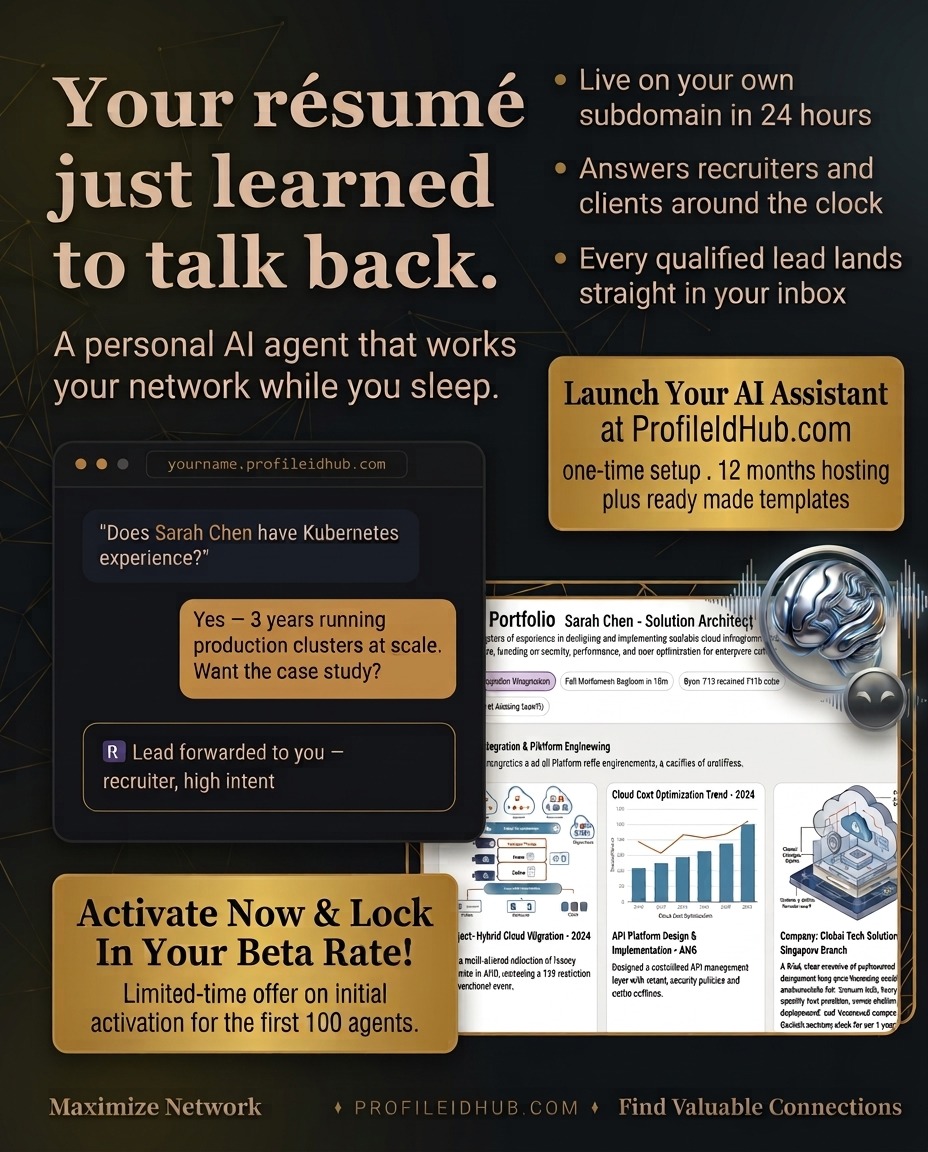
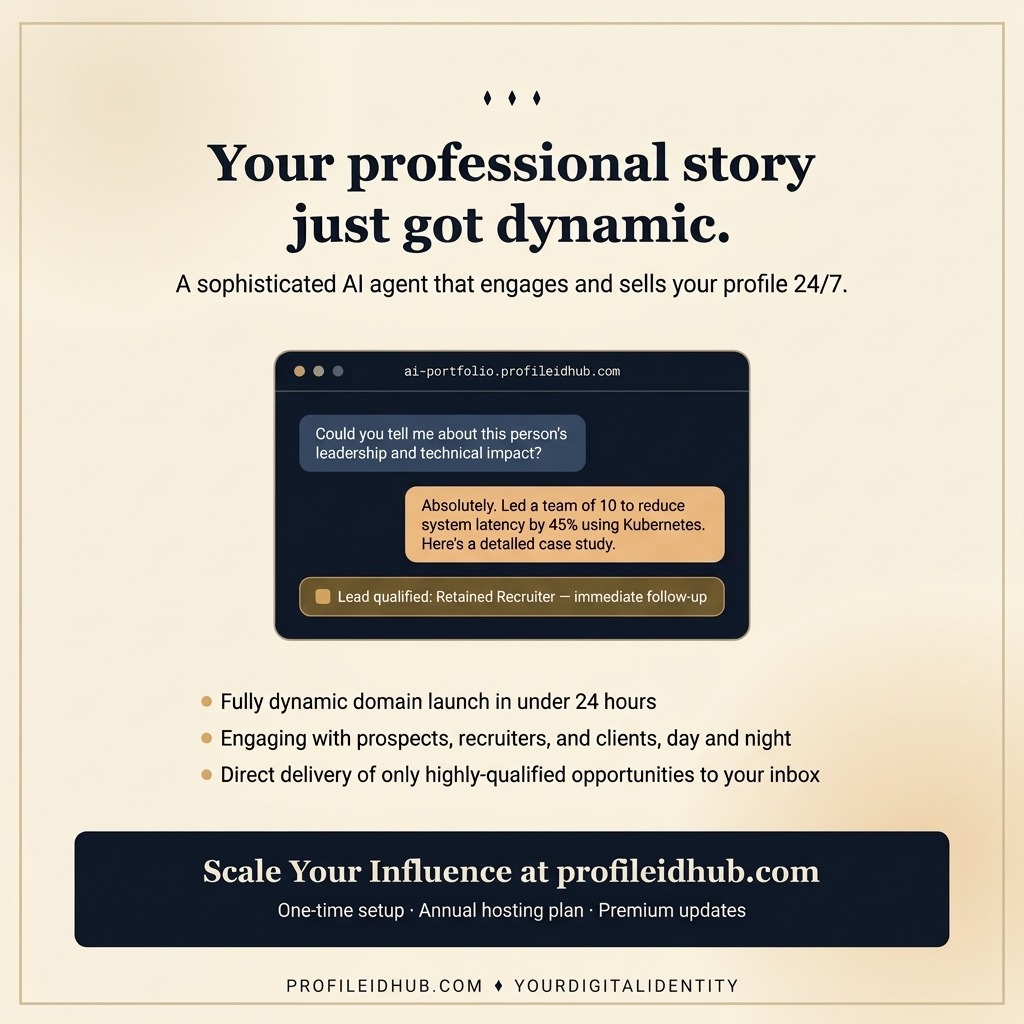
Click either to activate yours at profileidhub.com.
◆ Live Demo — See It In Action
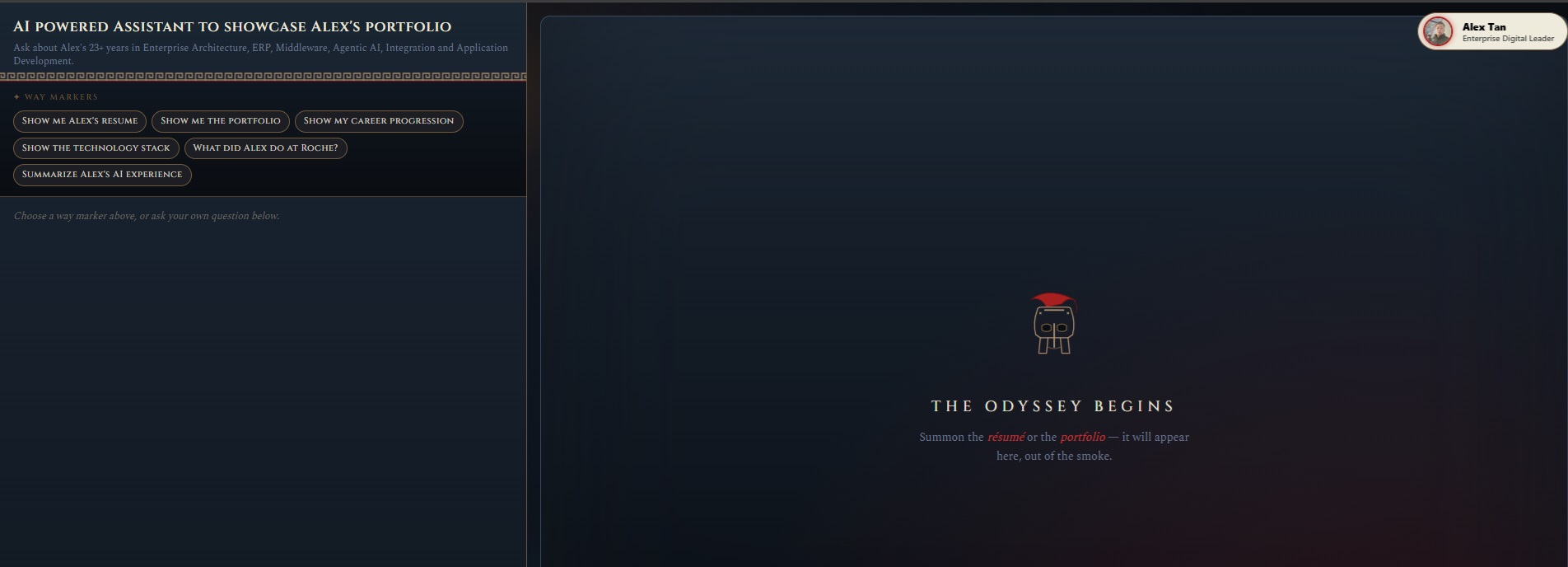
What you're about to build for yourself
Every recruiter who visits profileidhub.com/demo can ask any question about Priya's 8+ years in real-time systems, SaaS engineering, and PostgreSQL scale — and the AI answers in seconds, in context, with the portfolio and resume rendered right there. Your site will do the same for your own career story.
Try it live now ↗◆ Book meetings from the chat — end to end
Your AI agent hands a visitor a real Google Calendar invite while you're doing something else. One-time setup connects your Gmail; from then on, every booking checks your calendar, verifies the visitor's email, and delivers a branded invite from AIAssistant@profileidhub.com — same recognisable sender across every customer.
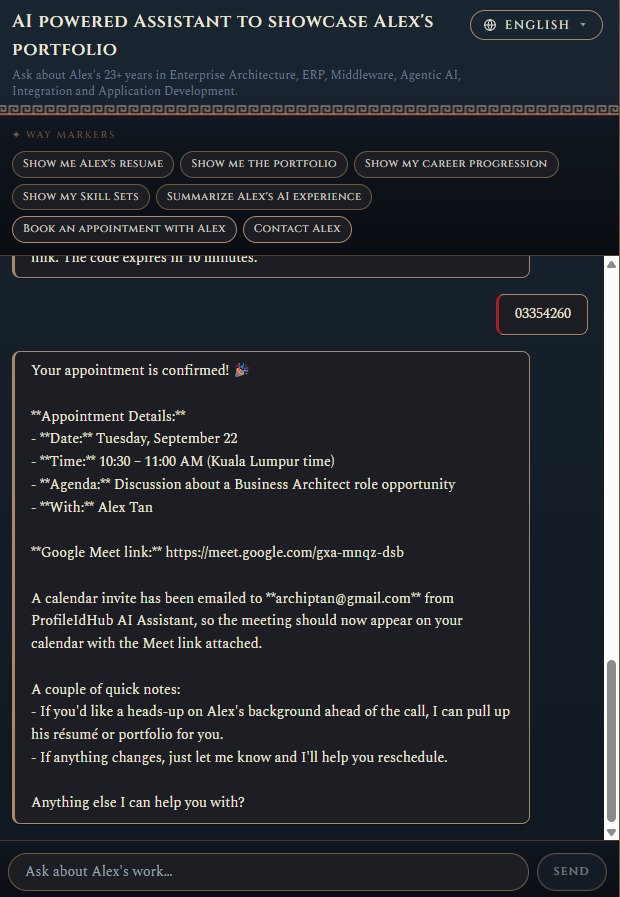
Booking with Alex's agent
- STEP 01Visitor asks to book — agent collects the meeting agenda and the preferred slot. No forms, no forwarded emails.
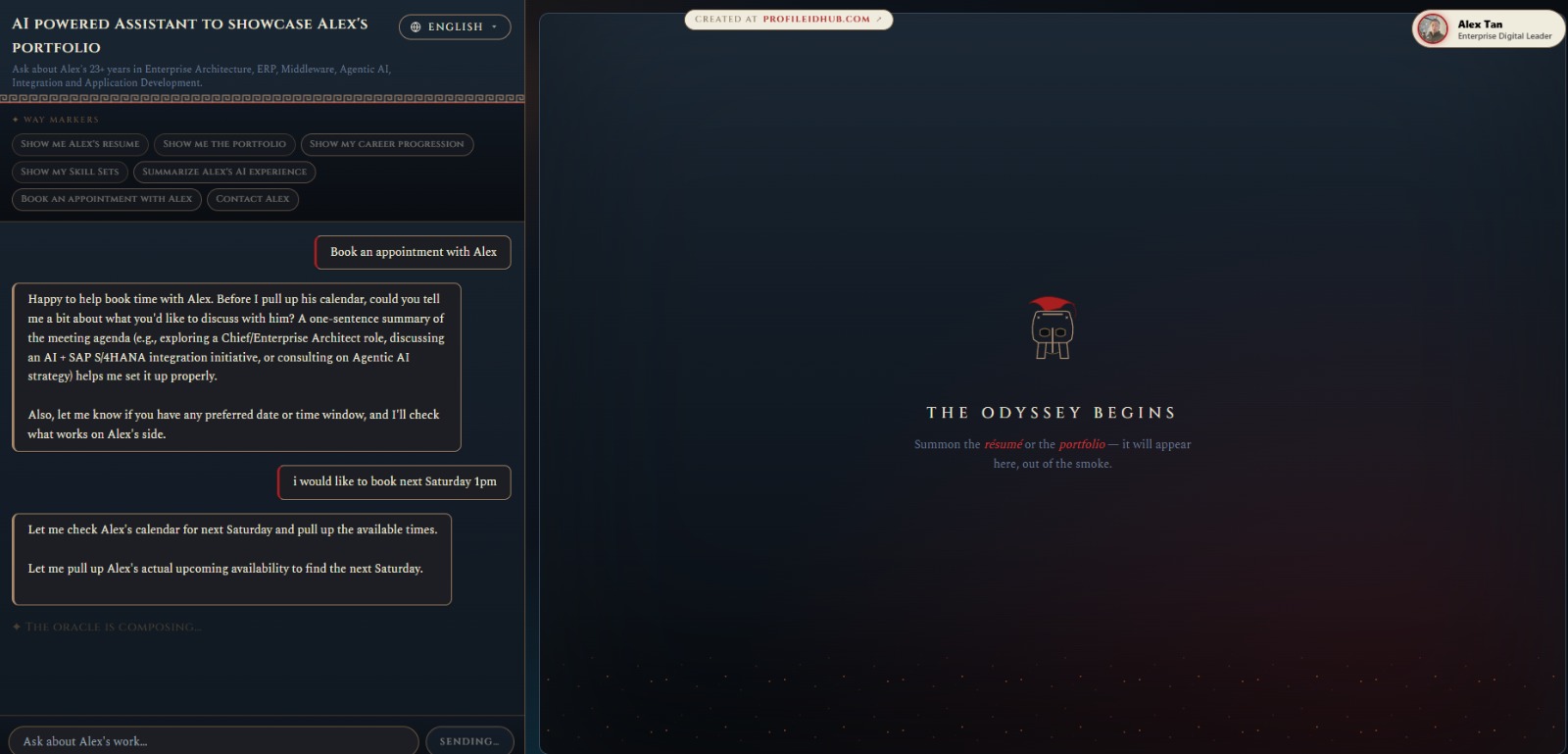
- STEP 02Visitor enters the 8-digit verification code sent to their email. Appointment confirmed in-chat with the Google Meet link ready.
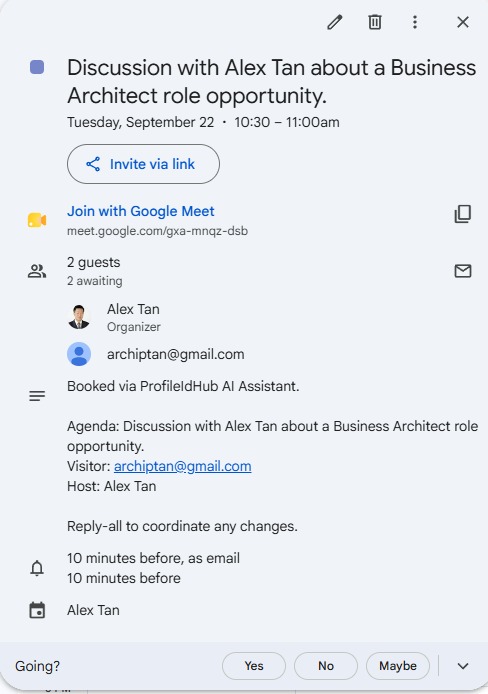
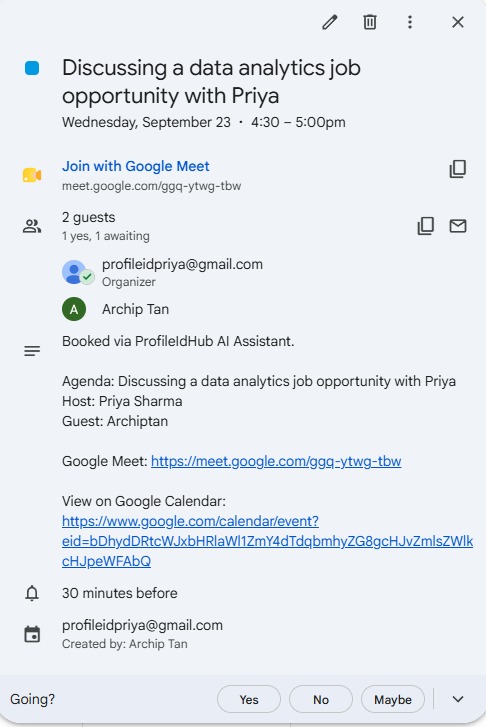
- STEP 03The event lands on the visitor's Google Calendar — Yes / No / Maybe RSVP, Meet link, agenda, and the host all pre-filled.
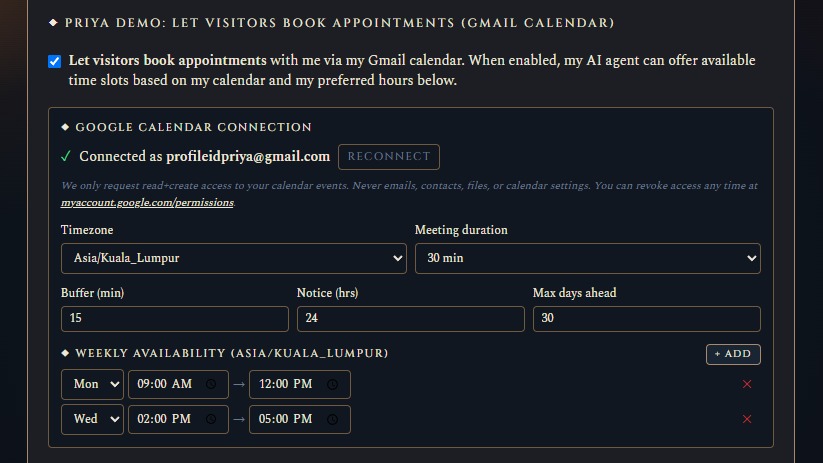
Priya's demo persona
- STEP 01One-time owner setup: connect Gmail, set weekly availability, meeting length, buffer and notice period. Done.
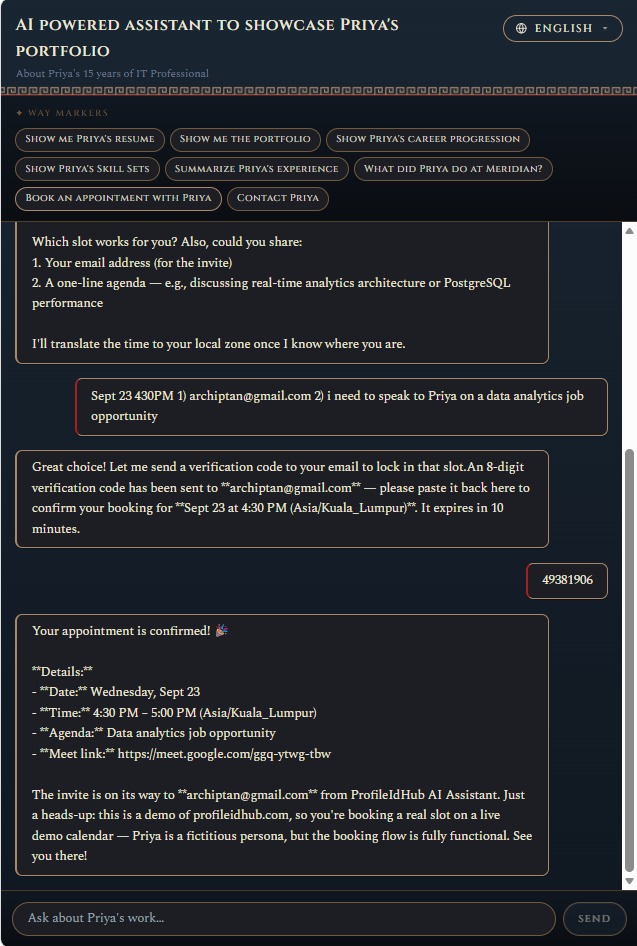
- STEP 02Visitor picks a slot, provides email + agenda, enters the code, and the agent confirms the booking in-chat.
- STEP 03One branded email from AIAssistant@profileidhub.com — the same recognisable sender for every customer's agent.
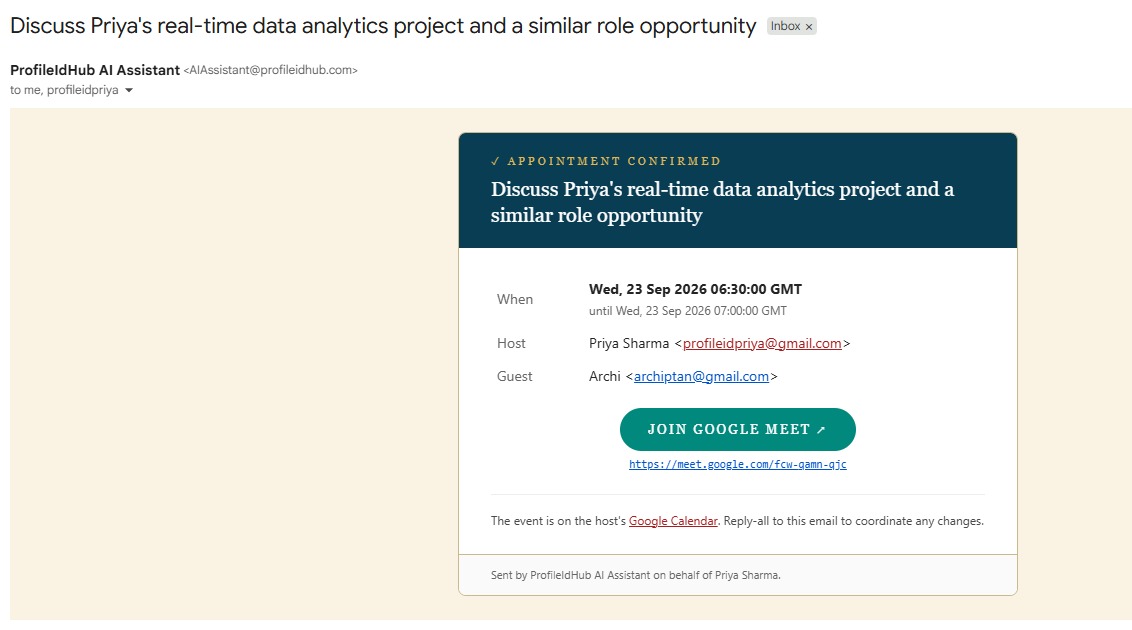
- STEP 04The visitor's Google Calendar auto-adds the event from the attached .ics invite. No 'unknown sender' warning, no manual add.
◆ User Guide — How Your Agent Uses Your Materials
- Initial setup (one-time, right after payment). Complete the intake form. You'll receive an email with a resume-link so you can come back later if you don't finish in one sitting. Alex builds and delivers your site within 24-48 hours.
- Step 2 onwards: any change to your portfolio uses /reupload. Updated résumé? New portfolio project? Refreshed context PDF? Different theme? All of that goes through the Reupload page — no new payment, unlimited edits within your 12-month hosting window. Sign in with your registered email + security answers, adjust what you want, and Alex rebuilds your site with the changes.
Trying to re-run the initial setup after it's already been completed will redirect you to the Reupload flow — the setup step is designed to run exactly once per Stripe payment.
Your AI agent is trained on three tiers of your own materials, not on some off-the-shelf dataset. Each tier does a different job — together they let the agent answer questions in your voice with specific, evidenced answers instead of generic AI fluff.
The base identity — dates, roles, companies, education. The same document you'd send to a recruiter on paper. Visitors can also open it directly in the right-hand canvas whenever they ask to see it.
Visual proof of your work. Each image comes with a short title + description you provide on the intake form. The agent references them when visitors ask 'show me the projects', 'what did you build at X', or similar.
Everything the résumé can't fit — full case studies, publications, references, whitepapers, testimonials, longer project write-ups. This is what makes the agent capable of answering deep questions instead of skimming the surface.
When a visitor asks a question, the agent performs a RAG search (Retrieval-Augmented Generation) across your résumé, portfolio descriptions, and context PDF. It retrieves only the passages relevant to that specific question, then summarizes them in a conversational reply — grounded in your actual materials, not made up.
Concrete example. A recruiter asks: "Has this person worked with real-time fintech systems handling 5,000+ customers?" The agent doesn't guess or hallucinate. It searches your context, finds the Meridian Analytics case study from your uploaded materials, and answers with the specific evidence — architecture, metrics (p99 latency, throughput), your role, outcome — in a few sentences.
- Chat. Ask anything they'd normally ask a hiring manager — fit for a role, comparable projects, salary range, timing. Agent replies in your voice, cites your evidence.
- See documents. Click a shortcut chip (or ask) to open your résumé, portfolio, career progression illustration, or Skill Sets image in the right-hand canvas.
- Request a callback. If they want to reach you directly, the agent takes their contact details + a summary of what they want, then emails the lead to you at the address you registered.
- Concrete beats abstract. Numbers, architectures, decisions, tradeoffs. Skip the buzzwords — those are the parts the agent will happily cite back to visitors.
- Cover the questions people actually ask you. If recruiters always ask about a specific stack you touched once, write a paragraph on it. If clients keep asking about pricing / timing, include your usual answers.
- 10-30 pages is the sweet spot. Too short = agent runs out of things to say; too long = slower search + higher AI costs. Anything under 10 MB works fine.
- Update it any time. Use the Reupload page to swap in a new version — the agent picks up the changes on the next visitor query.
◆ What You Get
Hosted on your own domain — or a free default URL if you don't have one yet. Full control, professional presence.
An intelligent agent trained on your actual materials — résumé, case studies, product info, team bios. Acts as your 24/7 ambassador while you sleep.
Pre-configured guardrails keep every answer professional, accurate, and aligned with your goals — never off-brand.
Clean, mobile-friendly interface that showcases your accomplishments seamlessly. Every recruiter sees your best work first.
Delivered live to your email in 24–48 hours. Often as quickly as 12 hours after you submit your intake form.
◆ Perfect For
Executives, architects, and consultants whose depth deserves more than a 2-page PDF.
Give every prospect a personal chat with your body of work, case studies, and pricing, at any hour.
Turn your team's collective portfolio into one AI concierge that answers every inbound lead — 24/7.
Show context, narrative, and adjacent skills — the parts a résumé can't convey.
◆ How It Works — 3 Simple Steps
Secure your AI Resume Agent through the Stripe checkout below. Card, Apple Pay, Google Pay — all encrypted.
Immediately after payment, you'll be redirected to a short intake form for your domain, resume, portfolio images, and any extra context you want the AI to know.
Receive your live application link via email — ready to share on LinkedIn, in cold outreach, or in your personal bio.
◆ Contact Alex
Questions before buying? Custom brief? Bulk enquiry? Send a note and Alex will reply personally within 24 hours to the email you provide.
Ready to Deploy Your 24/7 AI Assistant?
Launch price of 99. Regular price returns to 250 once the launch window closes.
Buy Now — 99 · Secure Stripe CheckoutPayment processed securely by Stripe · Instant intake form on success · Delivered in 24–48 h